PHP SPX Profiling
PHP SPX is a simple, free and open source profiler. It covers both FPM and CLI requests, and provides a built-in UI to visualise the generated reports. Of which a demo can be seen here.
For more information, please see the PHP SPX Github Repository.
Configuration
To enable PHP SPX in your project environment, add to your .env file:
WARDEN_PHP_SPX=1
Note
When disabling SPX, you may be presented with a 502 bad gateway when the environment is next restarted, or the SPX container is removed.
This is caused due to the SPX cookies still being set in your browser. There is a helper tool to aid in removing these on the 502 page, or you can remove them manually through developer tools.
Usage
CLI
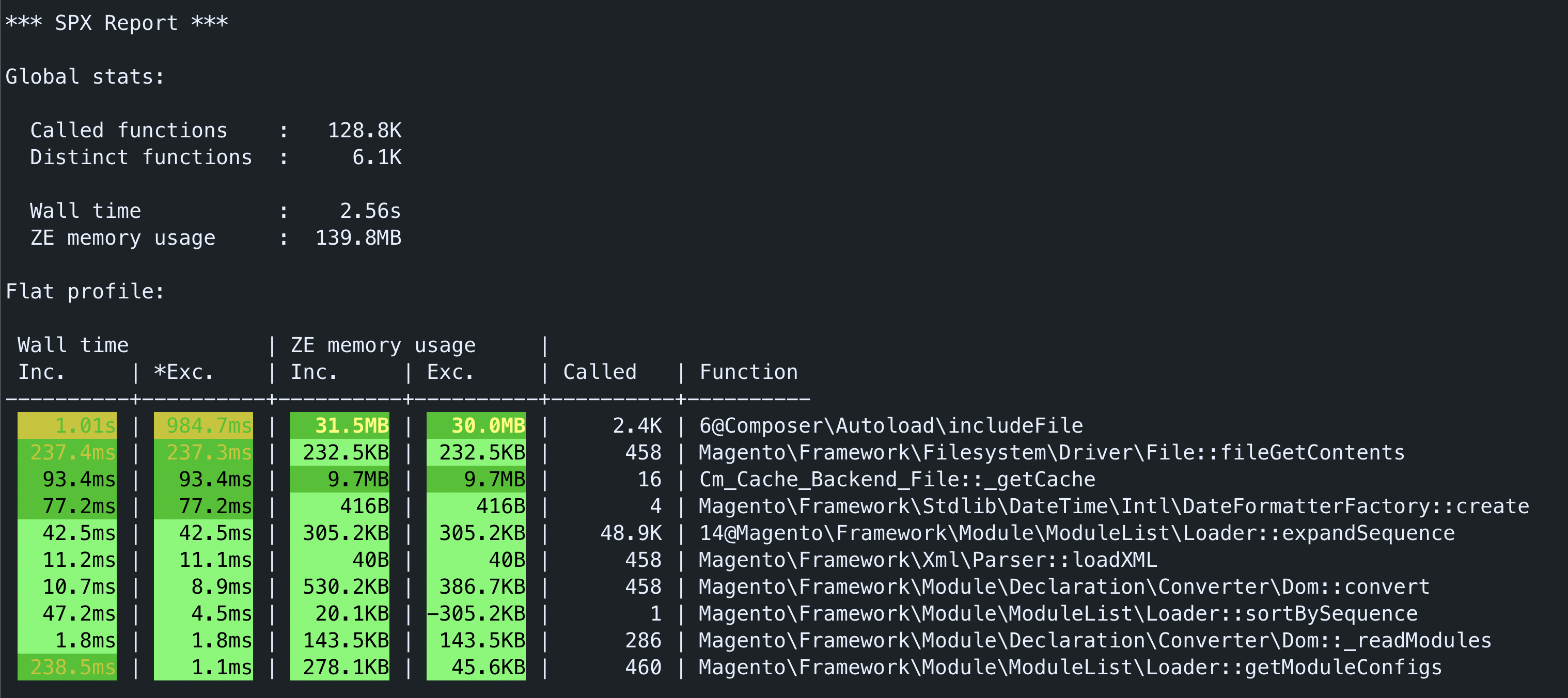
Running the warden spx command, will place you within a PHP-SPX instrumented terminal. Where any PHP commands you run will be profiled.
You should see a SPX report printed after the command finishes. And there will also be a corresponding report within the control panel.
Web
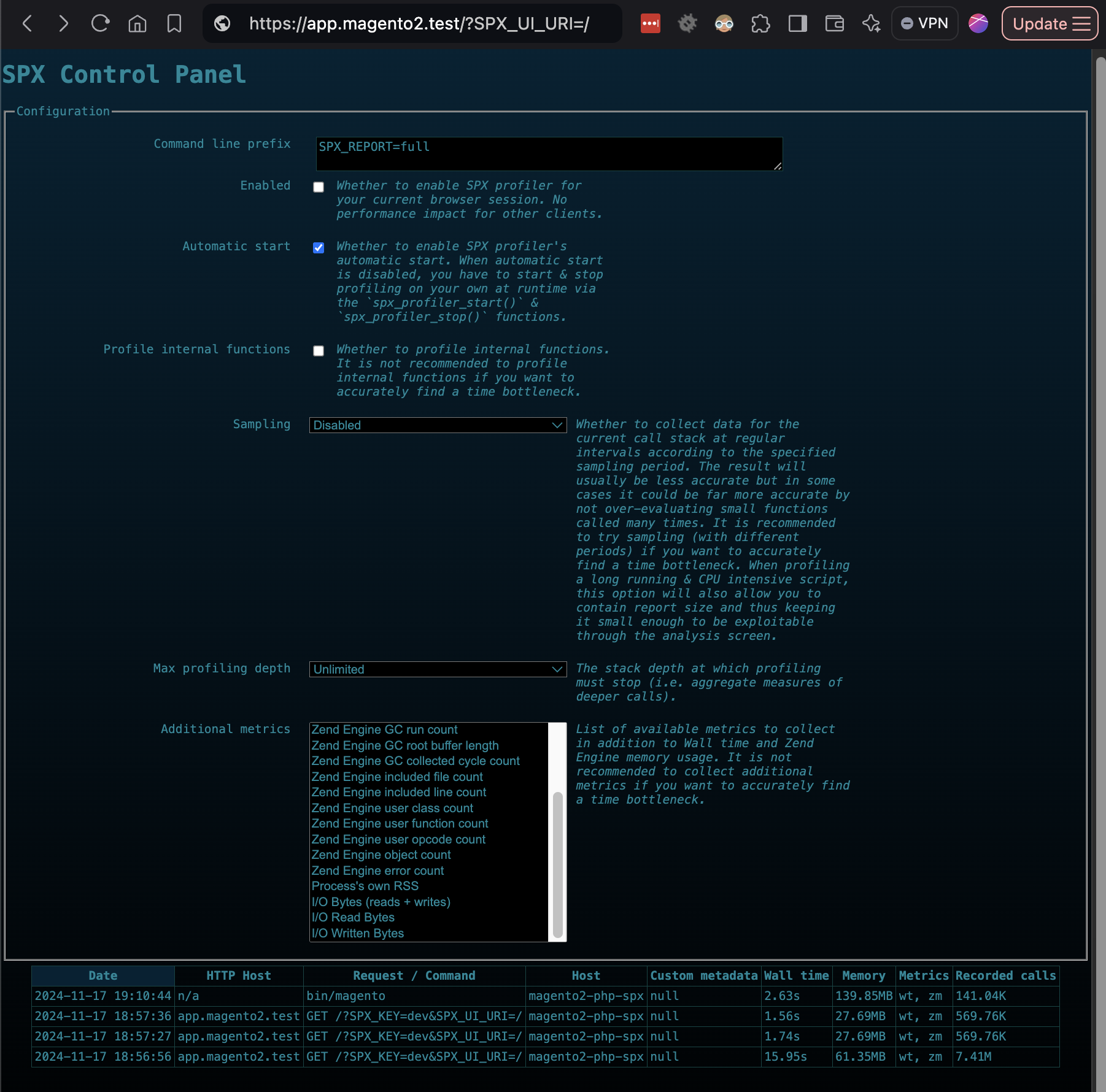
Once an environment is started with the WARDEN_PHP_SPX=1 the SPX control panel will be available.
You can start profiling requests, either by enabling the Enabled checkbox within the Control Panel. Or by setting the SPX_ENABLED browser cookie to a value of 1
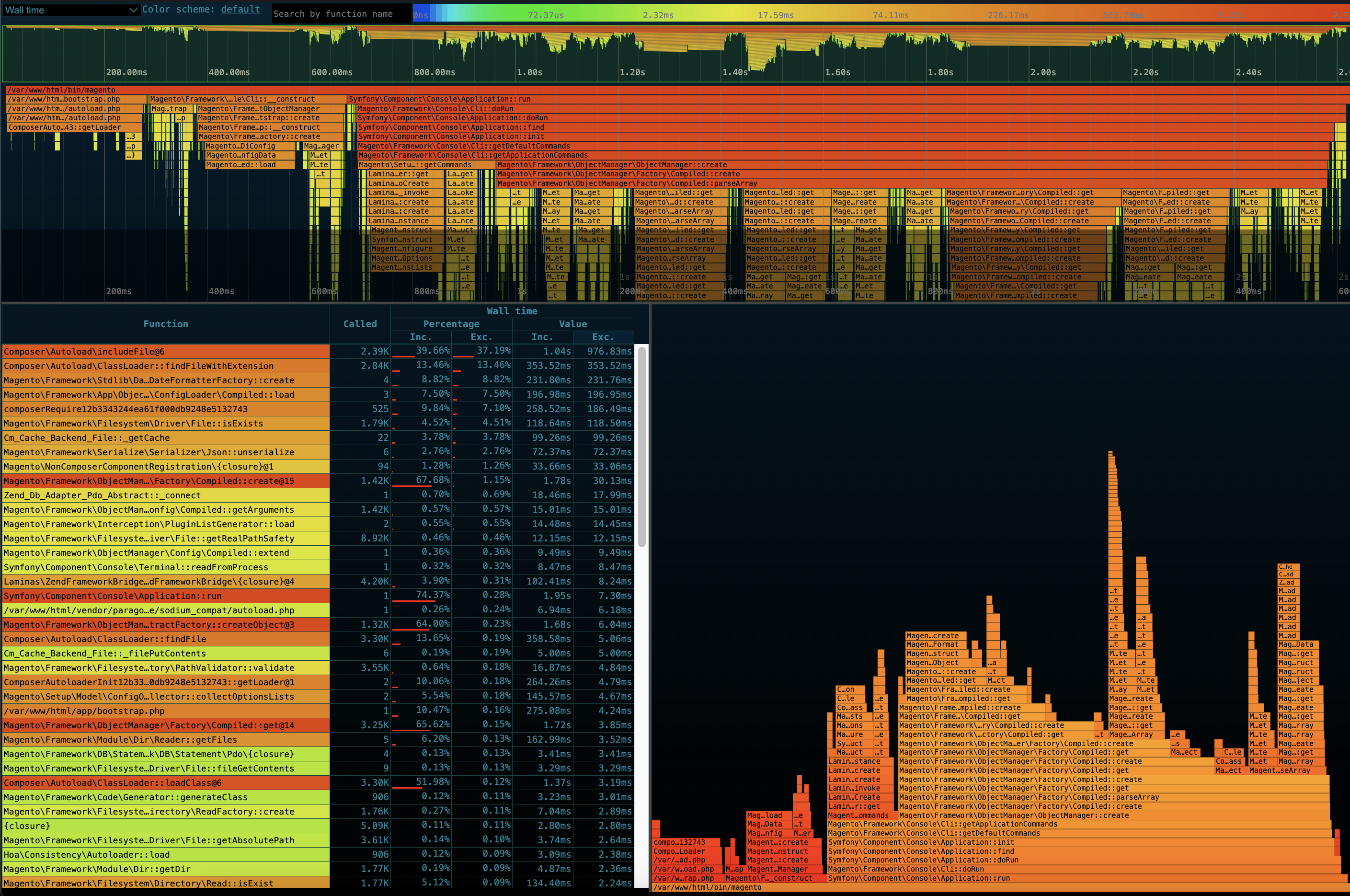
Control Panel / Viewer
To view the reports generated by PHP SPX, append ?SPX_UI_URI=/&SPX_KEY=warden to the end of your environment url (e.g https://app.magento2.test/?SPX_UI_URI=/&SPX_KEY=warden).
Troubleshooting
Control Panel not accessible
Check that
WARDEN_PHP_SPX=1is enabled within your.envfileCheck that the SPX container is running
warden env ps php-spxMake sure you specify the
SPX_KEYquery parameter with the value ofwardenwhen visiting the dashboard for the first time.Make sure you do not have XDebug cookies or arguments set. The Debug container takes priority over SPX.
Check the
x-backendresponse header, to ensure the request is correctly being routed to the SPX container.
502 Bad Gateway when disabling SPX
This is expected behavior when disabling SPX, as it does not automatically clean your cookies.
The 502 bad gateway page, has a helper tool that will help you clear the relevant SPX cookies. Or you can manually remove these from within dev tools, and refresh the page.